
404 Monitor And Redirect is a free WordPress plugin I wrote that records the missing URLs on your site, shows you which ones matter, and lets you send visitors somewhere useful instead of an error page. It is licensed GPL v2 or later: no premium version, no license key, no account and no upsell.
Why I built it
Existing redirect and 404 plugins were either far larger than I needed, slowed down page loads, or logged every hit with the full URL, user agent and referrer repeated on every row, so on a site under constant scanner traffic the log quietly became the biggest table in the database. I wanted something simple, fast and small.
Simple
- One admin menu entry with a few screens: Redirects, Unmapped 404s, Stats, Tools and Settings.
- See a missing URL, pick where it should go, and save.
- Redirect to a page or post, a category or tag, or any address, or answer with a 410 Gone for content removed on purpose.
- Sensible defaults: install it, activate it, and leave it alone.
Fast
- A mapped URL costs a single indexed database lookup.
- Counters and logging happen after the visitor has been sent on their way, so tracking never slows a redirect.
- Nothing extra is loaded on the front end.
A database that stays small
- URL paths, user agents and referrers are stored once and shared between rows.
- Log rows hold only small integers pointing at those shared strings.
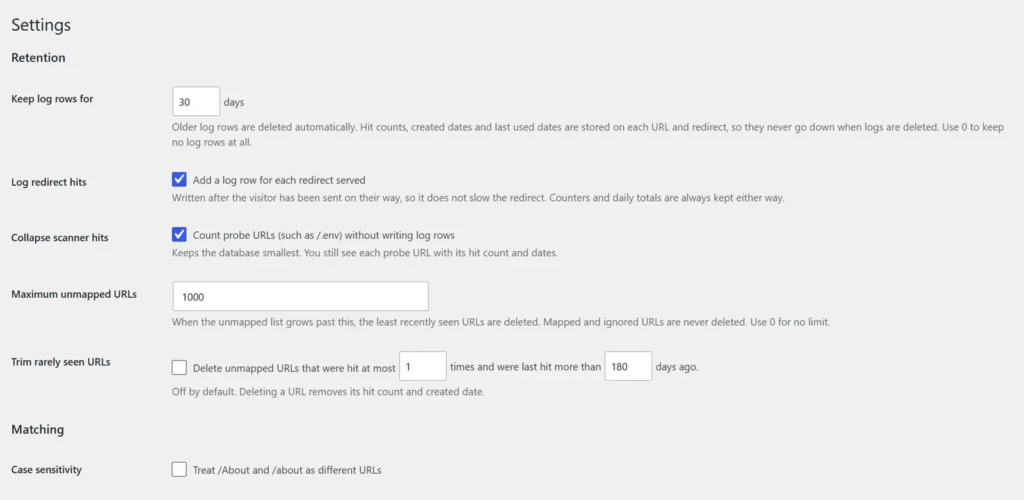
- Scanner probes can be counted without being logged.
- Every log has a retention rule, and old rows are purged automatically.
- Hit counts and dates live on each URL and redirect, so purging the log never lowers them.
- A Stats screen reports the space used, table by table.
Features
- Redirects grid with target, hit count, created date and last used date.
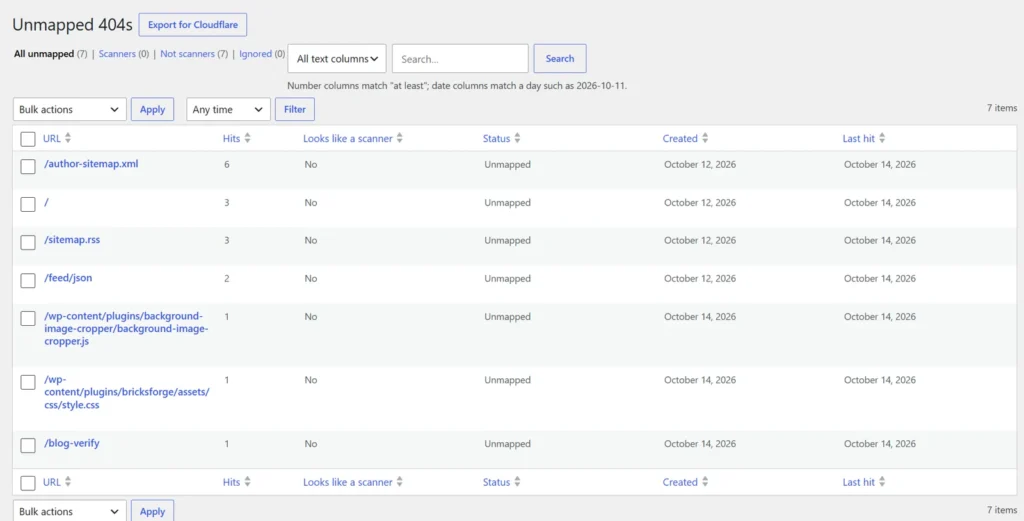
- Sortable, searchable unmapped 404 list with a quick mapping form.
- Daily chart of 404 activity.
- Cloudflare export: turns your most-hit scanner URLs into a custom rule expression to block the noise before it reaches your server.
- CSV import and export.
- Importers for the Redirection and 404 Redirected plugins.
- WP-CLI commands:
wp m404 stats,purge,export,importandcloudflare.
Privacy friendly
Visitor IP addresses are never stored, suggested privacy policy text is included, and your data is kept if you delete the plugin unless you choose otherwise in Settings.
What it cannot see
A page cache or CDN that serves a cached 404, and static files your web server answers before WordPress starts, never reach the plugin. That is true of any WordPress-level 404 tool.
Getting started
- Download the plugin zip.
- Upload it from the Plugins screen in WordPress.
- Activate it.
- Open 404 Monitor in the admin menu and start mapping missing URLs.