

Icon Magic was first created as shareware in 1990 that ran on Windows 3.0.
In 2026 I decided to revitalize he project and rebuilt it on modern development platforms, plus I haven’t been happy with the icon editing tools built into the development tools over the year.
Icon Magic is a Windows icon editor built for the part most image editors get wrong: the .ico file itself. A single Windows icon is not one picture but many. 16×16 for the title bar, 32×32 for the desktop, 48×48 for Explorer, 256×256 for the large-icon view, each at its own color depth. Icon Magic reads and writes that container directly rather than leaning on System.Drawing, so every size, depth and alpha channel in a file survives a round trip intact. Create .ico files from scratch, edit icons you already have, or produce a favicon for a website, without frames being silently dropped the moment you hit save.
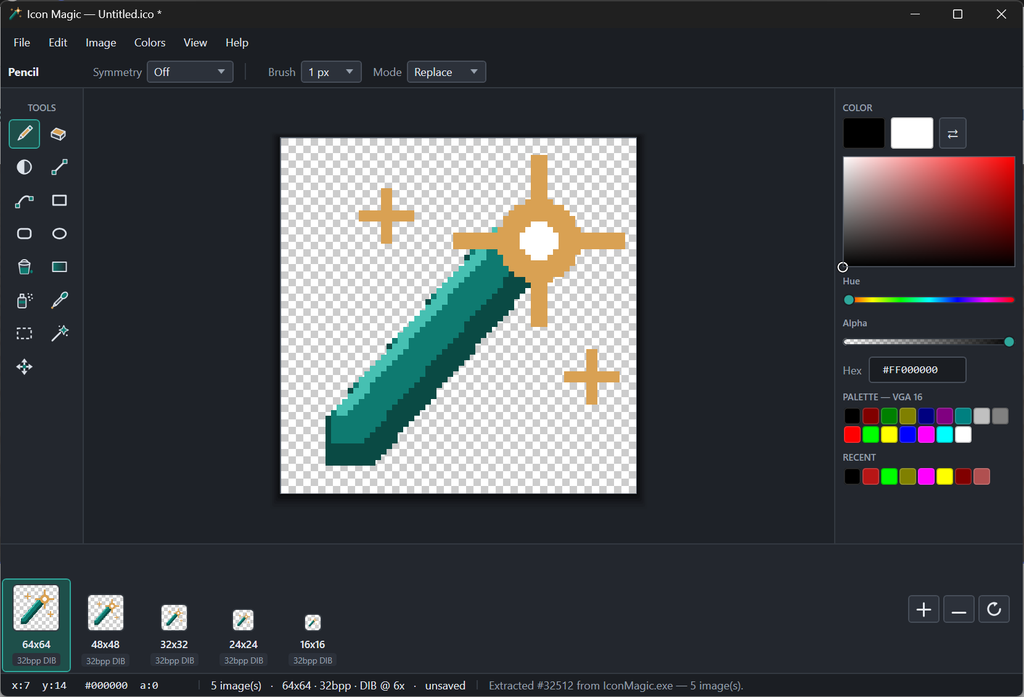
Editing happens where it should, on the pixels. Fifteen drawing tools (pencil, eraser, line, curve, rectangle, rounded rectangle, ellipse, flood fill, gradient, spray, shading, eyedropper, rectangular select, magic wand and move) work on a true 32-bit BGRA canvas with a real alpha channel, so soft edges and partial transparency behave the way they will in Windows. Selections are per-pixel masks rather than plain rectangles, which means the magic wand’s shape clips every other tool exactly. Symmetry works as a modifier over every brush tool for mirrored left/right, top/bottom or four-way drawing, and a one-pixel keyline command traces a clean outline inside or around your artwork in a single step.
Behind the drawing tools sits a format-aware workflow that saves real time. Pull icons straight out of .exe and .dll files by reading their PE resources. Use the frame strip to add, remove, resample and link sizes, or generate every size from your largest image in one undoable step. Export to lower color depths through a median-cut quantizer with optional Floyd-Steinberg dithering, and write both payload forms Windows accepts: headerless DIB with XOR image and AND mask, plus PNG compression for 256×256. Icon Magic also reads damaged and non-standard icons that other tools reject, tells you exactly what it worked around, and writes a clean standards-compliant file when you save. Undo and redo, autosave recovery, palette import and export, PNG and BMP import per frame, alpha-preserving clipboard support and a full F1 help file round it out.
Icon Magic is shareware. Download it, use it, and if it earns a place in your toolkit, send $10 via Venmo to fund continued development. It runs on Windows 10 and Windows 11 with no prerequisites to chase down, because .NET Framework 4.8 is already on your machine. Copy the folder and run it, or use the installer if you prefer.
Version 2 released August 23, 2026 as Shareware.
Download: